[UI] Lists: nested UI is confusing and too busy.
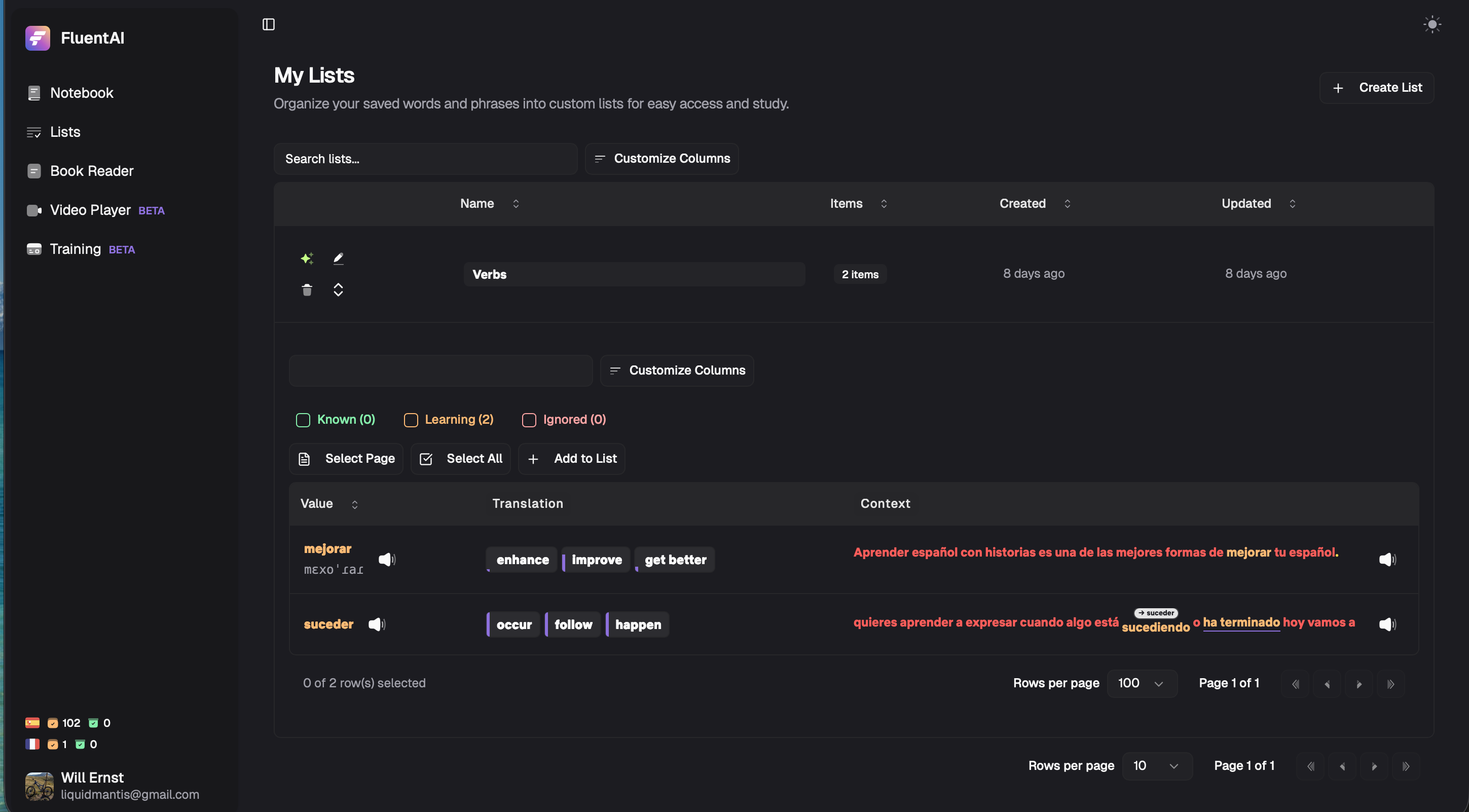
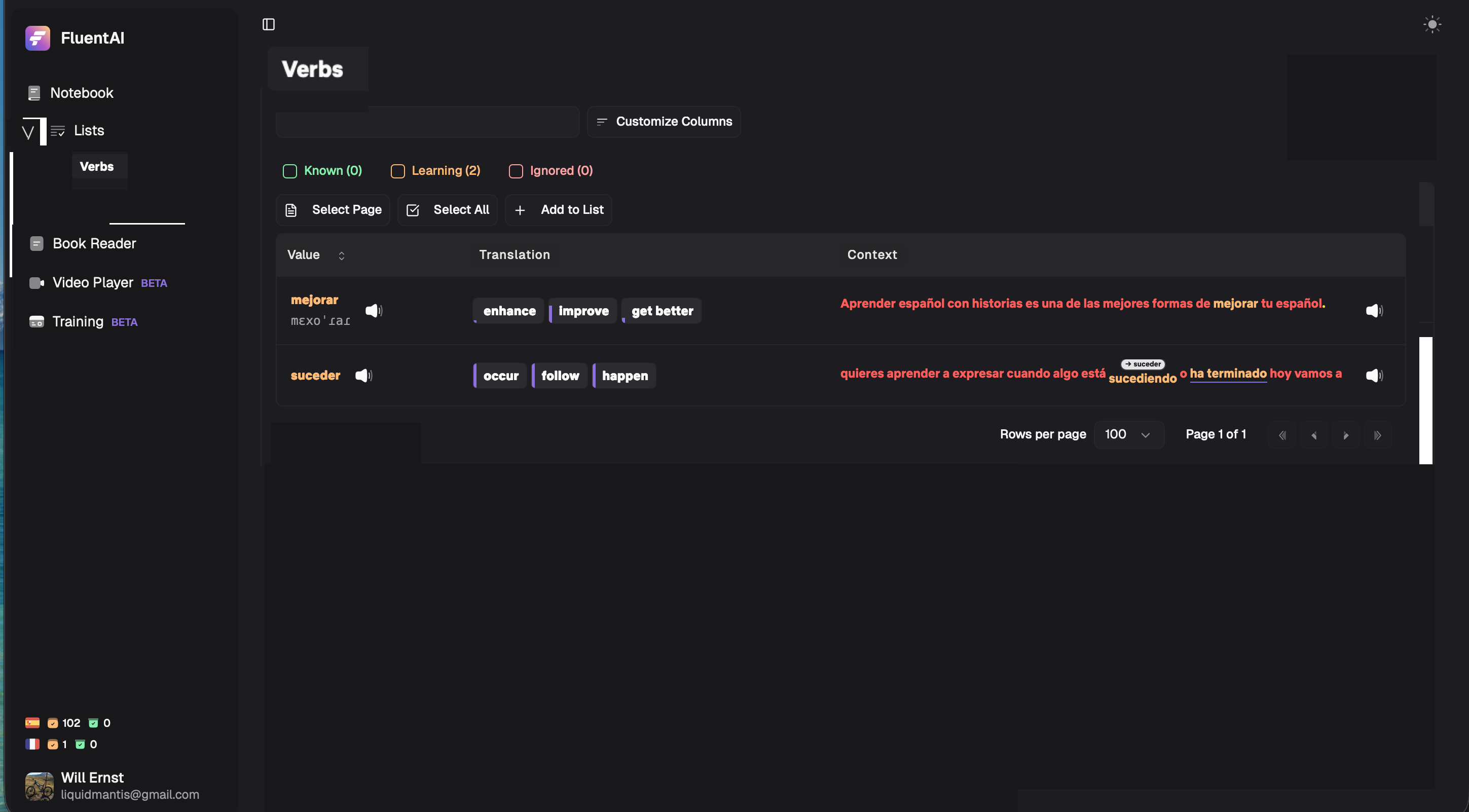
While the list of Lists view is nice for surfacing information about the lists, the way you expand lists is not very usable as the nesting of Notebook views causes redundant UI elements and very limited display are for the list contents. A better model would be to have the Sidebar be a collapsed tree, where you can expand the Lists item and it would simply list the Lists there.
Clicking a list in the current List view would also open that selector in the sidebar
Selecting a list changes to a new dedicated view of the list contents
Current view:
Suggested: (please excuse my very crude UI hack)
Log in to comment and vote
Comments8
Dec 2, 2025
PinnedIts live.
Liya
Dec 2, 2025
Hi,
Yes, we were thinking the system is not ideal. You are right, and I will implement the change now.
liquidmantis
Dec 2, 2025
Shazam! I like it! I do think it would be nice to still have the old view of lists when you just click on the List parent item though. Then you can see the info about the lists themselves like before.
Sasha
Dec 2, 2025
But besides, the count.. which is displayed in the sidebar, idk what it was bringing exactly
liquidmantis
Dec 2, 2025
Where can you edit lists now? There’s no way to rename them, modify the icon/color, or the description. The List view was treating them as first-class objects.
Sasha
Dec 2, 2025
If you go on one you will have all things to edit it on it
liquidmantis
Dec 2, 2025
Here’s a Verb list I created. There’s no visible way to edit it to add an icon, for example.
liquidmantis
Dec 2, 2025
It’s probably not very obvious, but that “V” to the left of Lists is supposed to be the typical pivoting caret symbol used for folding UI elements.